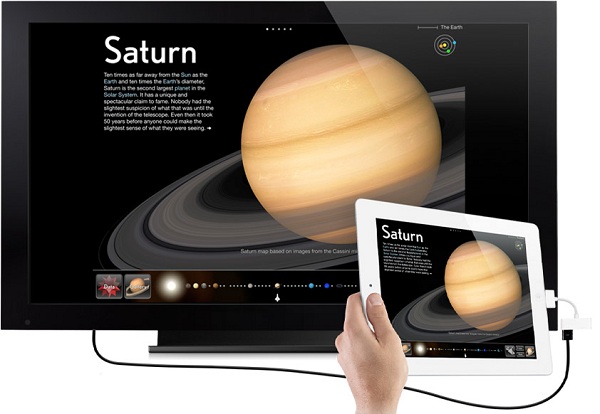
A fantastic article by Autumn Kelley on 23rd March over at techlearning.com. Autumn discussed the use of iPads in a setting with special needs kids. I couldn't help but equate the pertinent points about how the iPads increased learning opportunities in her situation, with my own students. The four key principles about integration - Involvement, Preparation, Application and Development; are universal in the introduction of all technology and learning. This is a model that any teacher could use to educationally empower their students. Anyway enjoy Autumn's article.

Image sourced from www.allnewsmac.com
Technology opens doors to learning and builds bridges to learning concepts for kids with special needs. SESI(Specialized Education Services, Inc.)—an organization of alternative schools and specialty programs that operate across the country (currently in AZ, CA, DE, MA, MD, MO, RI, VA, and Washington, DC)—uses iPads to supplement instruction in reading and math as well as to facilitate communication for students with autism spectrum disorders and others who require support through the use of augmentative communication devices.
SESI follows four key principles concerning iPad integration in our classrooms:
I = Involvement
P = Preparation
A = Application
D = Development
Developed by SESI’s department of curriculum and instruction, under the leadership of Autumn Kelley with technological support by Adrian Pellew, director of technology, these four principles form the corners of the learning model our teachers employ to support options for iPad use in fun, creative ways for kids with a wide variety of needs. The principles of Universal Design for Learning (UDL)—a philosophy that integrates supports for all learners, often through the use of technology—comprise the foundational framework for iPad use in our schools. Endorsed by the U.S. Department of Education, UDL provides the support required by those with special needs as an integrated feature of the instructional design. Content and support become one in iPad-assisted learning experiences.
The iPad applications developed by speech and language experts, which are commercially available via the Apple App Store, are used throughout the day to enhance learning for our students who have specific communication needs. These learning applications promote student engagement in reading and math as they are carefully woven into classroom instructional practice, providing independent and collaborative learning opportunities for students experiencing reading and math skills delays at any grade level.
At each stage, collaboration between students and teachers is key. “Technology provides avenues for one-to-one instruction in the classroom setting that didn’t exist 10 years ago,” said Michael Kaufman, CEO and President of SESI. Indeed, iPad use in our schools has proved an efficient avenue for improving core academic skills for our most challenging students and for empowering our teachers to adapt technology in support of advancing students' learning.
Step 1: Involve
Students with communication disorders can easily be marginalized from group learning experiences in the classroom setting if they are not provided a “peer-friendly” way to communicate. Prior to the introduction of the iPad into this setting, their involvement was limited by a self- and peer-imposed communication barrier. “The iPad extends the involvement of children with limited speech ability,” said Brooke Violante, SESI’s Connecticut Regional Director of School Services. “Seeing our children with speech limitations interact in group instruction with peers brings the classroom to life and greatly expands their interaction.”
Apps on the iPad—such as MyTalkTools Mobile, Proloquo2Go, Artikpix, and iCommunicate—allow our students to interact with other students in conversations about animal dissection during science lab, for example; to participate in a group discussion about their local community during social studies; and to share YouTube videos about a math skill they are trying to master in math group. “Giving students with communication disorders access to an iPad for communication sets them center stage in the learning process,” commented Stacy King, classroom teacher at SESI. Student learning teams can use handheld access to the Internet to support research and topic exploration in creative ways.
Step 2: Prepare
In addition to using the iPad to increase student involvement in school, it can be used to lay the groundwork for teaching in the first place—prepping and organizing instruction materials for both students and educators. For instance, prior to a lesson, teachers preload the iPads with mini-lessons on the chosen topic from SchoolTube, YouTube, Google, or Yahoo. Upon entering the classroom, students select the iPad device of their choice and then spend the first few minutes of the period “warming up” on the software to prepare for the lesson content.
Applications such as Notes, Popplet, and Papers help the middle and high school student with memory-based learning deficits to learn from notes, lectures, and readings. Students can prepare for statewide testing through a review of key math skills using apps like MathBoard, Pad Math, and Math Bingo. Reading classic high-school-level novels is often a challenge for students with reading disabilities, but the iPad facilitates success for these students with its built-in, at-the-fingertip supports such as text-to-speech, Wikipedia/Google in text, text magnification, and a wealth of apps that incorporate video clips and real-life descriptions of literary meanings. Apple’s preparatory teaching applications thus allow students with reading challenges to access and master grade-level content in pace with their nondisabled peers.
Step 3: Apply
Teachers apply the iPad device to an extensive variety of learning programs, not just for core subject matter, but also for vital elective content like music and the arts. The mobility of the device and the universal nature of its fingertip access have expanded its use beyond the classroom. Music classes, for example, benefit from such apps as miSoft Music!, Classical Music Listen and Learn, and Sheet Music Treble Game by increasing appreciation, exploration, and application of musical principles to course content. And user-friendly graphics, such as touch play with a screen-activated record player and live feed to YouTube and Twitter (which can include images of students’ compositions), have opened the doors even further on the ways in which technological innovations can influence learning and play in music curriculums.
The iPad can virtually deliver a field-trip experience to an art museum for students, with the touch of a hand. One’s artistic vision can expand full-scale with such apps as Art Authority for iPad and Art Museum (Match’Em Up History & Geography), which offer students the chance to study art by simply touching the image on the screen to instantaneously access detailed information about content and creator. The works are organized by time periods to improve students' understanding of key artistic features that define each decade.
The ability to cut-and-paste and import various artwork pieces to external applications and presentation software on the computer further enhances student study of color, line, shape, and visual communication of texture. Students can then apply these lessons as they transfer historical tenets of art into their own creative projects.
Step 4: Develop
Finally, since the iPad is less a tech device and more a portal for access, it is particularly well -suited to help students with special needs take advantage of learning opportunities in the classroom. Students with learning challenges need access to information that can support them when they feel lost or off topic with grade-level content, and this is precisely what the iPad can furnish.
When a subject they are unfamiliar with is brought up in history class, for instance, the iPad is right there, loaded with themed apps, offering entrance to any web-based platform of historical information, or even containing a reference outline the teacher e-mailed to the device, containing composition tips and help on study questions. Or when communication-impaired students need a peer-accepted way to communicate with someone in the lunch line, the iPad is there with apps that allow them to “talk” to others in “cool,” socially acceptable ways.
The iPad develops educational experiences for students with special needs in ways that deliver information, facilitate communication, and enhance their learning experience throughout the term of the school day and beyond. The four principles of iPad learning—involvement, preparation, application, and development—infuse all facets of student learning and teacher implementation, and they lead to virtually unlimited schoolwide innovations. The iPad serves as a powerful technological portal, guiding today’s learning experiences toward the lessons of tomorrow.
Autumn Kelley is the Director of Curriculum and Instruction for Specialized Educational Services, Inc.